
Business & Housing Associations Access on My Sjóvá
On our customer portal, My Sjóvá, you can access information about your company’s insurance policies, get an overview of claims, and perform key actions.
On our customer portal, My Sjóvá, you can access information about your company’s insurance policies, get an overview of claims, and perform key actions.
Here are some of the actions you can take on My Sjóvá:
*By granting an individual access to the company’s My Sjóvá, they can log in using their electronic ID and perform key actions on behalf of the company.
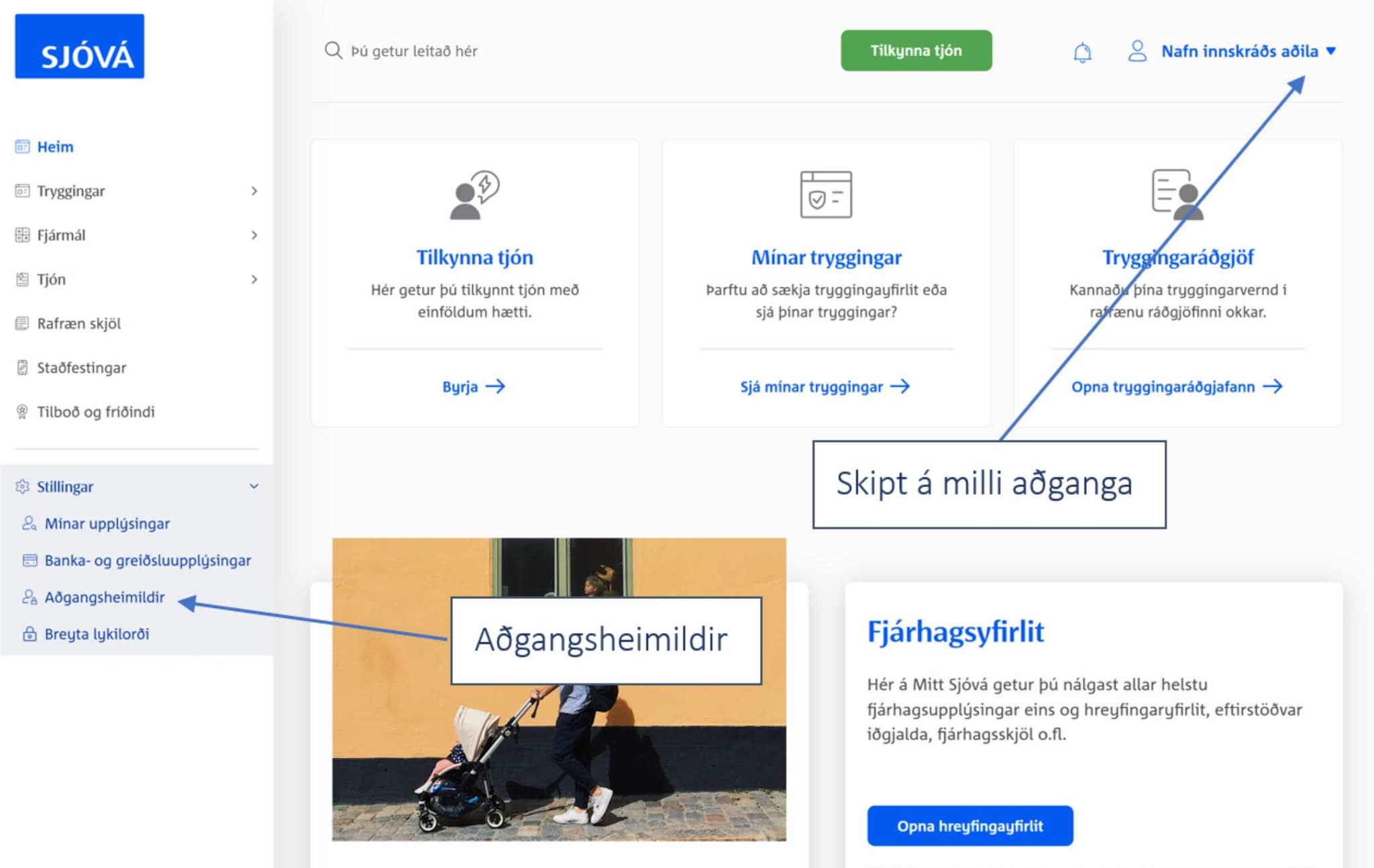
Company representatives listed in the Tax Authority’s company register automatically have access to their companies on My Sjóvá. The individual logs in to their personal account on My Sjóvá using their electronic ID and can then switch between accounts using the dropdown menu in the upper right corner.
Individuals acting on behalf of a company can request special access by contacting our commercial service representatives, who can provide access to the company account on My Sjóvá.
Chairmen or treasurers of housing associations do not appear in the Tax Office's corporate register and must send us signed minutes from the general meeting so that Sjóvá staff can grant them the access that the chairman of the housing association requests.
Users can easily grant others access to view or edit information, which is useful for providing employees with access, for example. This action is called Access Permissions and is located under Settings in My Sjóvá.
There are three types of permissions:
It is important to review access permissions regularly to ensure they are up to date.
Users can switch between accounts using the dropdown menu in the upper right corner.
It is important to respond correctly when accidents happen. On our website, reporting any type of claim is simple and secure. This allows you to take action immediately and ensures that the claim process starts quickly and efficiently.
There are several ways for businesses to submit a claim to us: